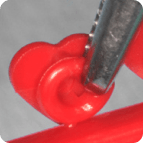
Grasp the Designer Ties by the ligature from the top, just to the right of the upper connector and remove the Designer Ties from the stick. Be careful not to grasp the shape/symbol.
02
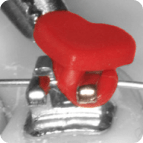
Apply the ligature tie to the lower left bracket wing and ensure the lower connector is centered between the two lower bracket wings.
03
Stretch the ligature tie upward to engage the upper left bracket wing and ensure the upper connector is centered between the two upper bracket wings.
04
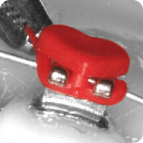
Using a clockwise rotational movement, stretch the ligature tie downward and to the right to engage the lower right bracket wing.
05
Continue the clockwise rotational movement in an upward direction around the upper right bracket wing to fully engage the ligature tie to the bracket.
06
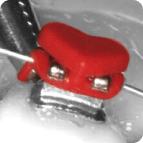
Ensure the connectors are properly positioned between the bracket wings and the shape/symbol is upright and centered over the bracket.